Each operatory from your practice software as a card, laid out like your office: who is in the chair, for what, with whom, and for how long.
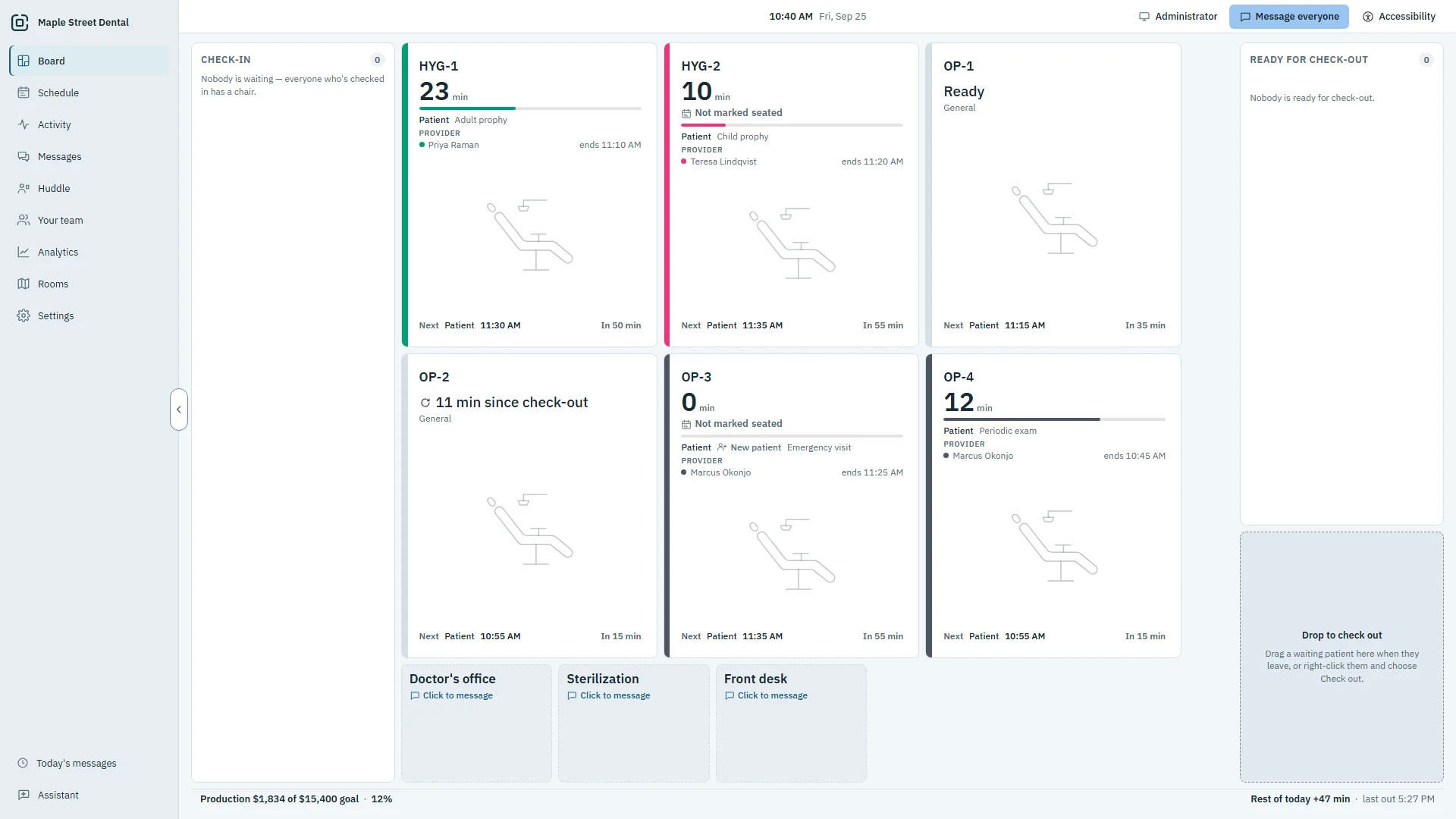
Know the state of the office without walking it.
The front desk sees who is waiting and which room is free. A room sees what is next. Nobody has to ask.
Room cards that tell the whole story
Every card counts its own minutes, so anyone can see what is running long before it runs over.
- Patient, procedure, provider and a running timer
- The minutes past the booked end, at a glance
- The next patient, and a New patient mark on a first visit
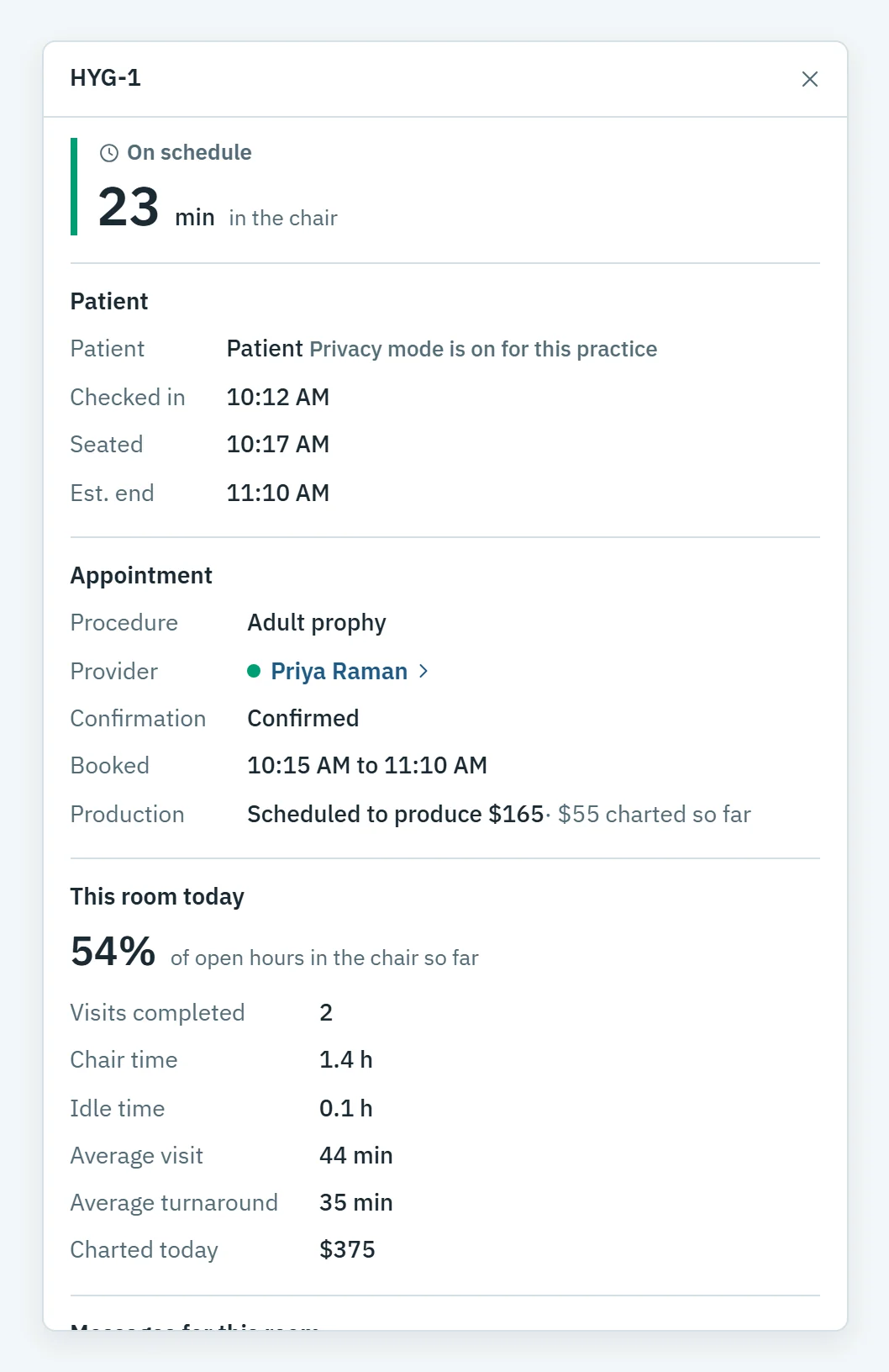
- Room details: booked time, scheduled production and the room's day so far
Seat, move and check out with a drag
Patients who have arrived wait on the left, longest wait first. Finished patients move right until they leave.
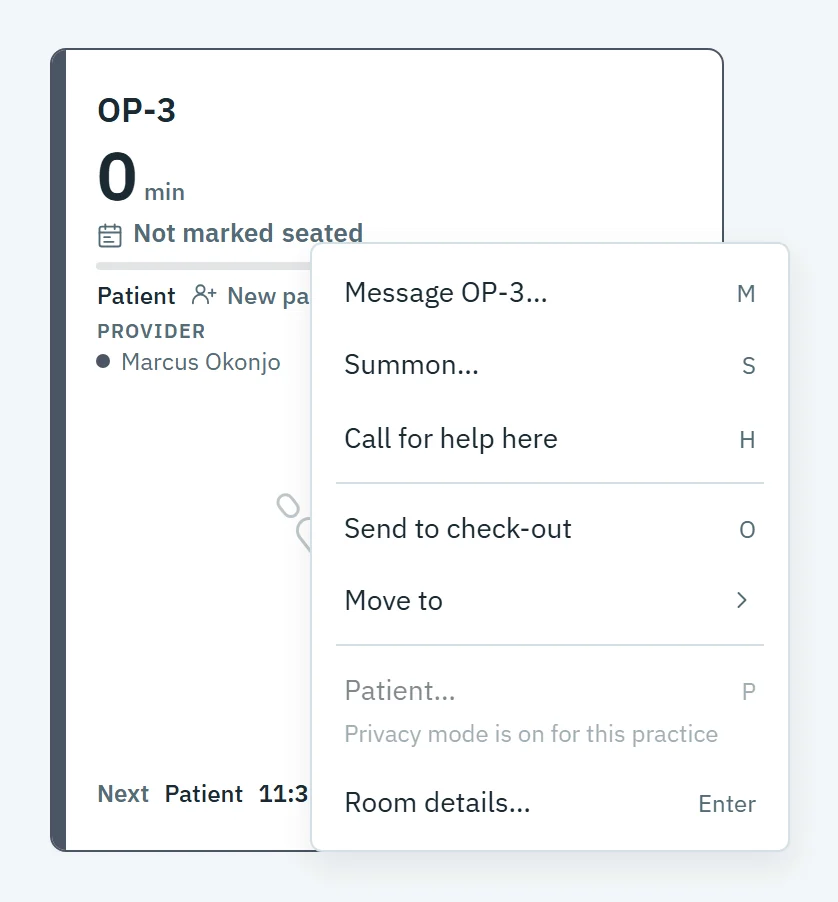
- Drag a waiting patient onto a free room to seat them
- Right-click a room to seat, move, message, summon or call for help
- Undo any move in one click
- Open the patient's chart in your practice software from the room
Made for the way your office is laid out
Laid out like your office
Drag and resize rooms on the Rooms page, and add rooms of your own: a consult room, the lab, sterilization.
Privacy mode
One switch hides patient names on screens patients can see. Names are removed, not covered up.
Who is in today
The front desk marks a provider out or off, and the Board and Summon follow at once.
The Patient window
Alerts, allergies, medications and details from your practice software that the PC is allowed to see, plus your own alerts.
A view for every PC
Admin, front desk and operatory PCs each see what they need. An operatory PC acts only on its own room.
Read-only
OperatoryView reads your practice software and never writes to it. The Board is yours to rearrange.
Questions about the Board
How live is it?
Whatever you do in OperatoryView reaches every PC instantly. Changes made in your practice software show up within a few seconds.
Does moving a patient on the Board change my schedule?
No. Moves stay on the Board. OperatoryView reads your practice software and never writes to it.
Can patients see names on the screen?
Not with Privacy mode on. One switch replaces patient names with Patient on every screen in the office. Names are removed, not covered up.
What does an operatory PC see?
The Board, messages and today's schedule, with its own room marked. It acts only on its own room.
See it with your own rooms.
Book a demo and we will walk you through it on a practice like yours.