Home / Features / Intra-office communication
Talk to any room without leaving yours.
Message a room, the front desk, a provider or the whole office from any PC. It pops up where it is needed, with a chime, instead of a walk down the hall or a call across the office. And a full office chat keeps the whole team talking.
A quieter office that still hears everything.
Notes on the door, walkie-talkies and calls down the hall reach the wrong people, or nobody. OperatoryView sends each message only to the PCs it is for, and shows you who has seen it.
Message anyone in the office
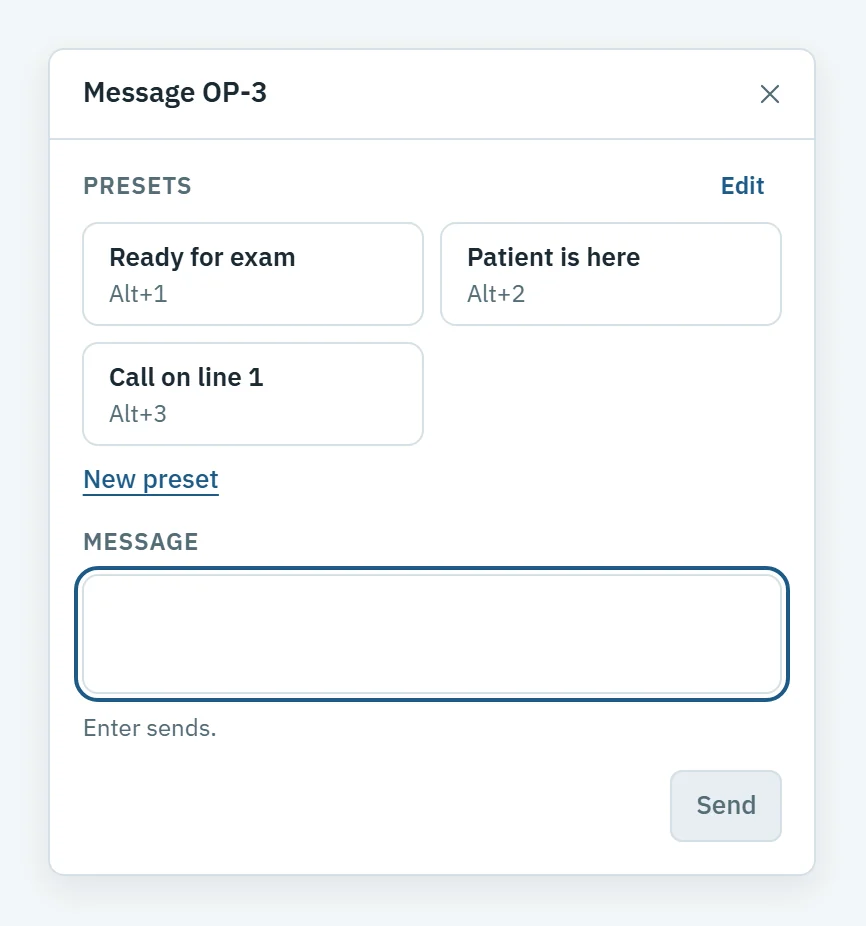
Right-click a room on the Board, or open Message from any PC. Pick who it is for, then a preset or your own words.
- A room, the front desk, one provider or everyone
- Presets for what you send every day, one keystroke each
- Sent, Delivered and Seen on every message
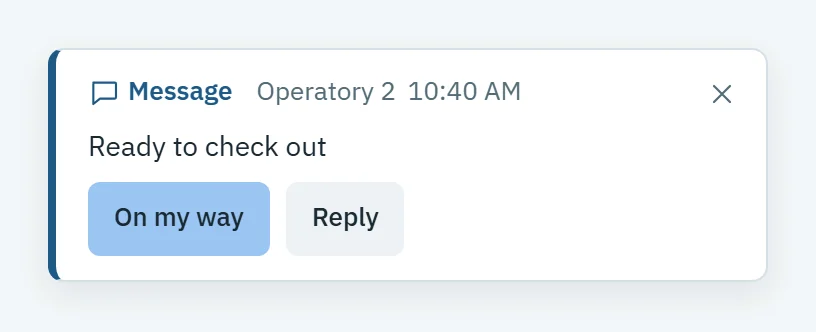
- Reply in one click: OK, Two minutes or Can't right now
Summon a provider, or call for help
When a room needs someone now, one click reaches them, and the room knows help is coming.
- Summon shows who is available, in a room or out
- It pops up in the rooms where that provider is working
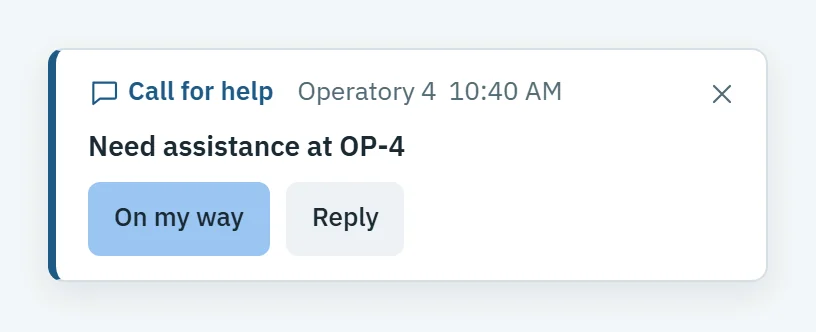
- A call for help from a room's menu reaches every other PC
- Anyone can answer On my way, and the room sees someone is coming
A full office chat for your whole team.
Beyond room-to-room messages, OperatoryView has a full office chat: channels, threads, direct messages and files, on the PCs your team already uses.
Channels
Open to everyone in the office, or to members only.
Direct messages
Write to one person, just between the two of you.
Threads, reactions and edits
Reply in a thread to keep a conversation together, react to a message, and edit what you sent.
@mentions
Mention a person, or a station: Admin, Front desk or any operatory.
Files and PDFs
Attach files up to 25 MB, and read a PDF in the built-in viewer.
Attach a patient
Attach a patient to a message, and the patient stays inside your office.
Search
Search across the chat to find what was said.
Kept as long as you choose
Your admin sets how long messages and files are kept: 1 year by default, from 30 days to 7 years. Your backups include them.
PINs
An admin always enters a PIN. At setup, you choose whether everyone else needs one too.
Built for a busy office
Two chimes
A soft chime for messages and a sharper one for alerts. Silent mode keeps the pop-ups and drops the sound.
Office-wide alerts
An alert brings OperatoryView to the front on every PC, in red, so nobody misses it.
On the room's card
A room's card on the Board shows New message, so the room sees it from across the screen.
Conversations, not just pings
A reply opens a chat beside the Board, and replies to an office-wide message form one thread everyone can follow.
Behind other windows
When OperatoryView is not in front, a Windows notification still shows the message, with On my way for a summon.
The Messages page
Search every conversation by day, kind or PC, and see who has read an office-wide message.
Questions about messaging
Who can send a message?
Every PC with OperatoryView: admin, front desk and operatory PCs. Messages go from PC to PC, so a room can reach the front desk without anyone picking up a phone.
What if a provider is out today?
Summon knows. When the front desk marks a provider out or off, Summon shows it before anyone sends.
Can we change the presets?
Yes. Admins add and edit presets right in the message window or in Settings, with one list for messages to a room and another for the whole office.
Is the office chat separate from room messages?
No. It sits on top of them. Room-to-room messages, Message everyone, presets and calls for help work as they always have, and the chat adds channels, threads, direct messages and files.
Who can see a channel?
Each channel is open to everyone in the office, or to its members only.
How long are messages kept?
For the time your admin sets: 1 year by default, anywhere from 30 days to 7 years. Messages and their files are included in your backups. The sender or an admin can delete a message for everyone sooner.
Does it need a phone, a headset or a light system?
No. It runs on the PCs already in your rooms and at the front desk.
See it with your own rooms.
Book a demo and we will walk you through it on a practice like yours.