Production per chair hour by room and provider, against your goal, with the overruns and gaps that explain the number. Your practice software runs the schedule; OperatoryView shows how it actually went.
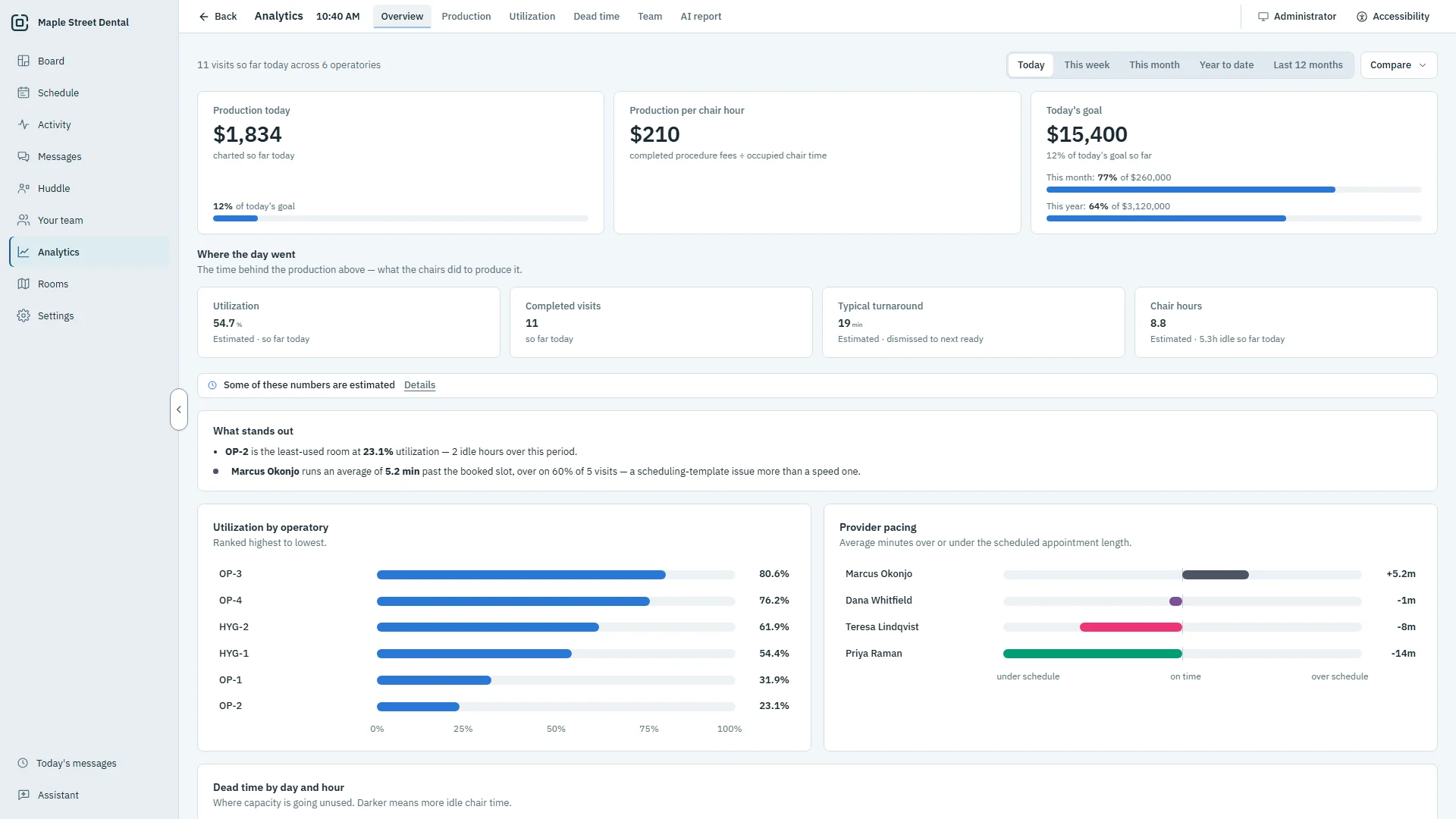
From what you produced to the time behind it.
Most reports stop at production. OperatoryView goes on to the chair time behind it: which rooms sat empty, which visits ran long, and how the day compares with your goal.
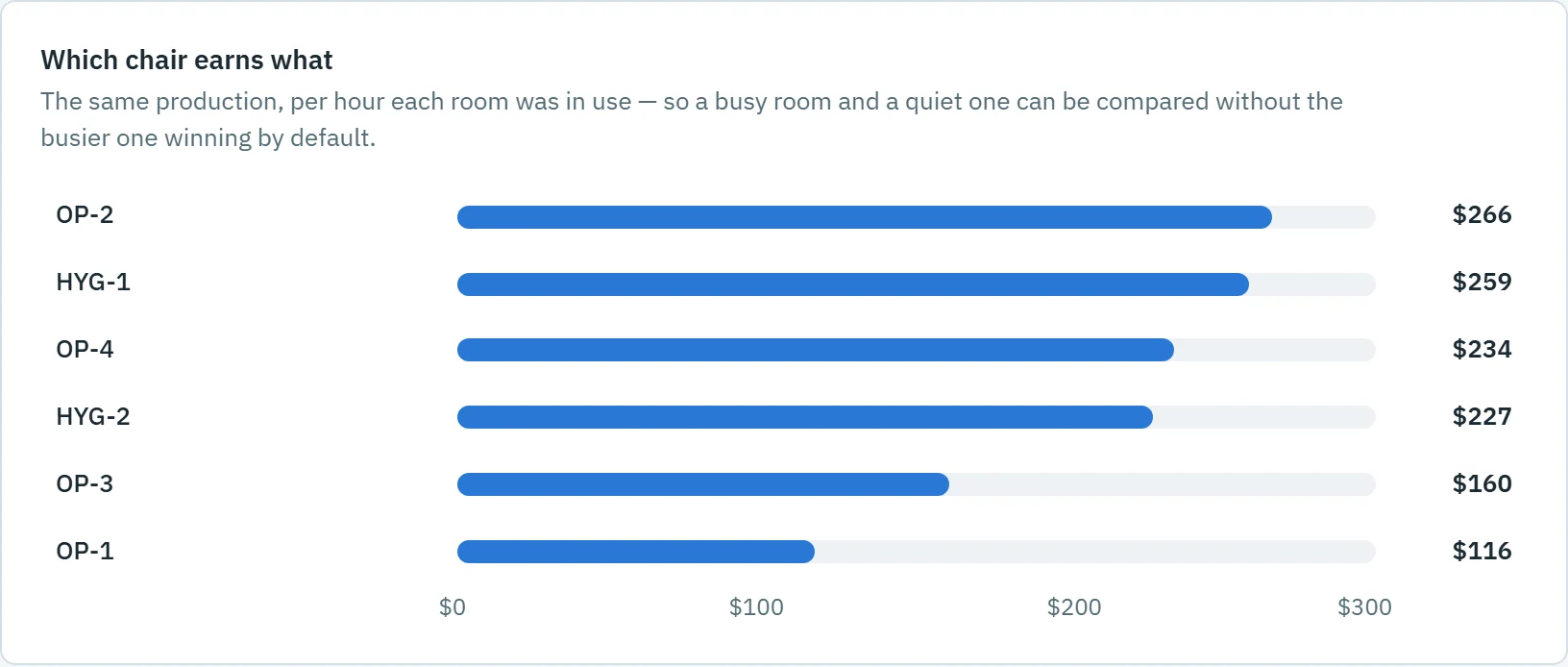
Which chair earns what
Compare a busy room and a quiet one fairly, by what each hour in the chair produced.
- Production per chair hour, by room and by provider
- Net and gross production, collections and deposits
- A month-end forecast against your goal
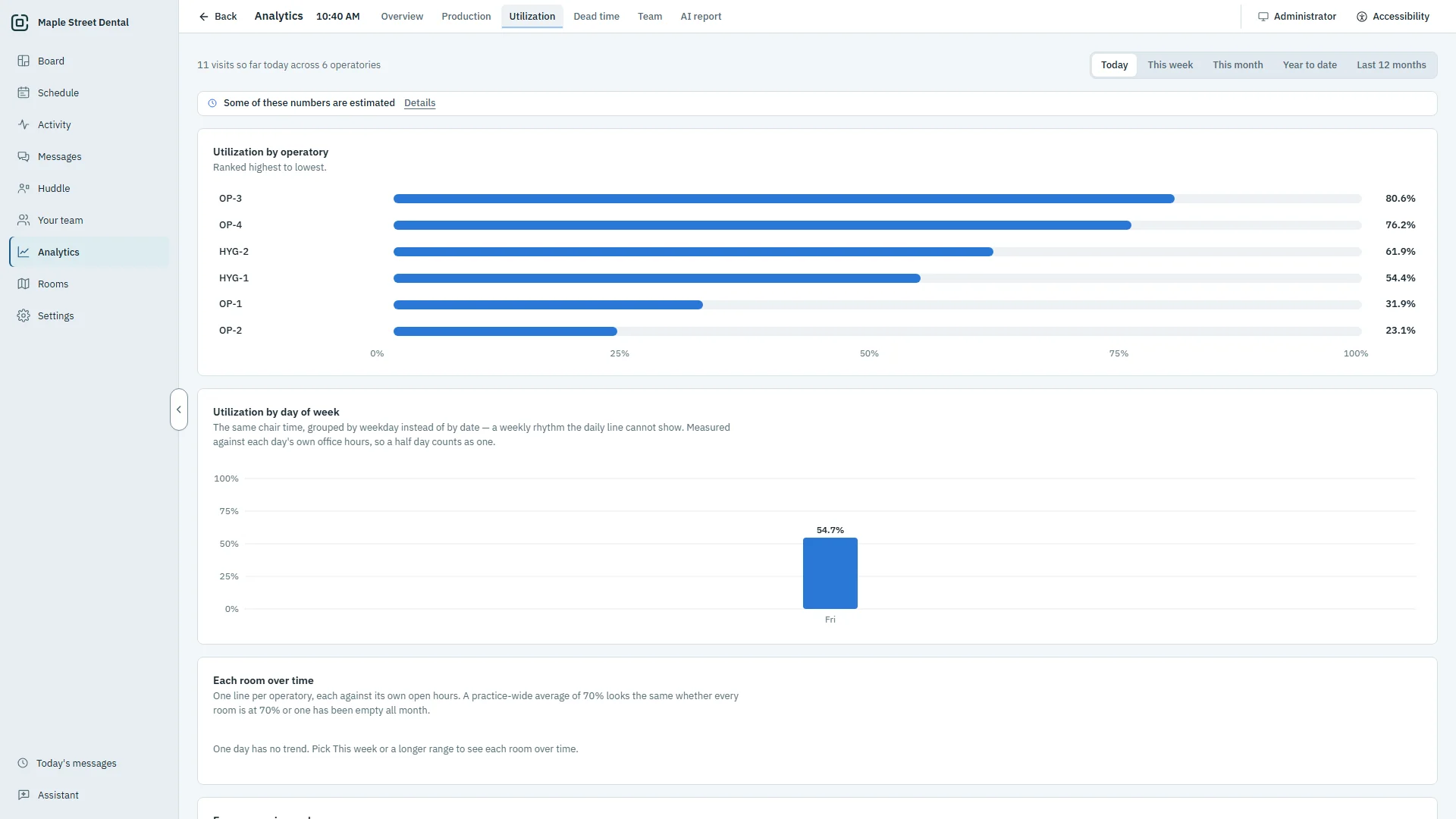
Where the time goes
See how much of each room's open time had a patient in the chair, and where the gaps are.
- Utilization by room, day of the week and hour
- A dead-time map of the hours rooms sit empty
- The procedures and providers that run past what was booked
- Booked against rostered hours, and hygiene fill
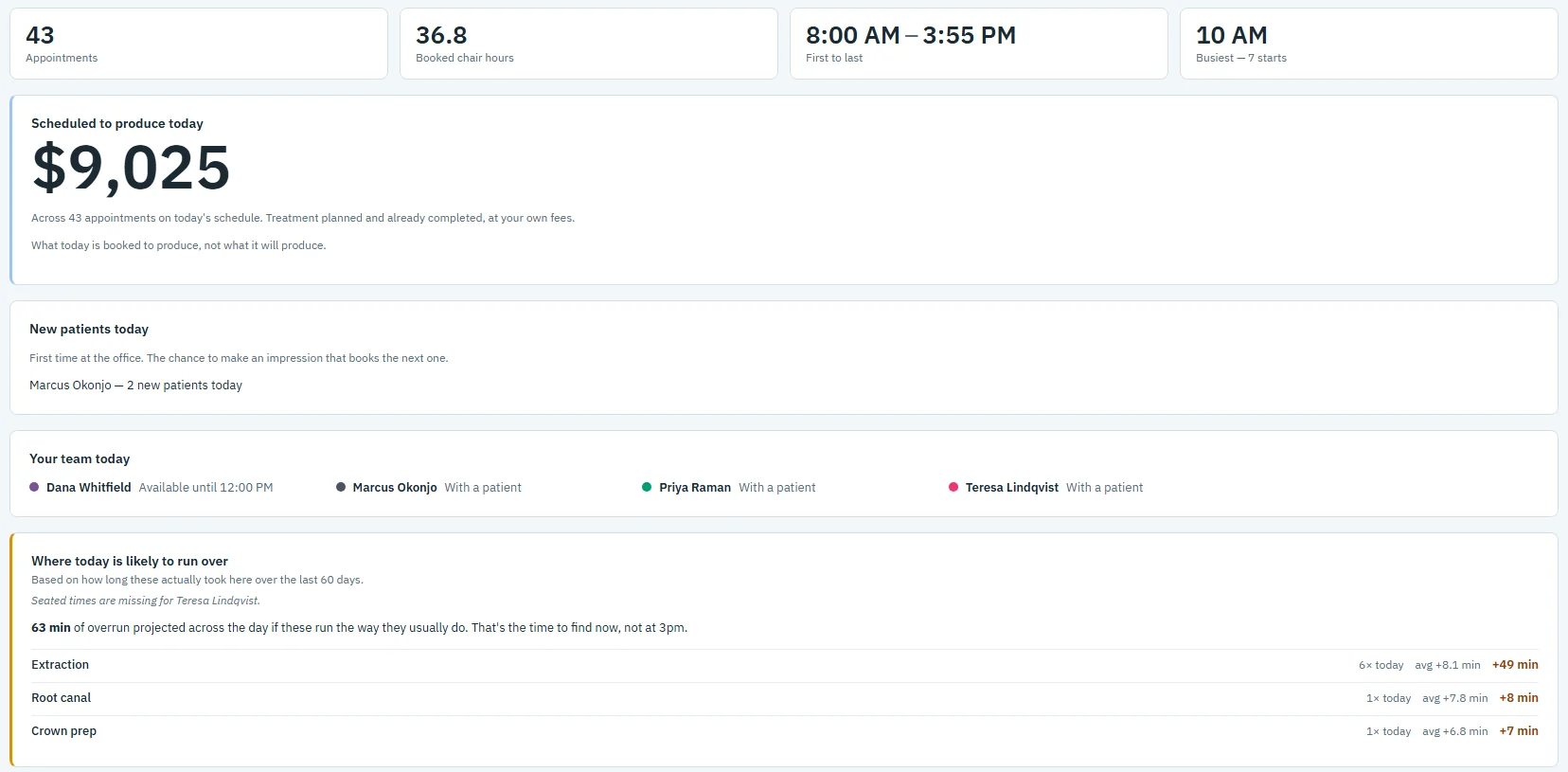
Start every day already knowing it
The morning huddle shows the day before it starts, on any admin PC or on paper.
- What today is booked to produce, against your goal
- New patients, and patients flagged for premedication or an alert
- Where today is likely to run over, from how long these visits really take
- Each provider's day, with its openings
Numbers you can act on
Any range
Today, this week, this month, year to date or the last 12 months, against the period before or last year.
Goals
Today's production against your daily goal, and the month and year against their own.
Team and pacing
Each provider's production and pace against what was booked.
AI report
Patterns you wouldn't spot in your numbers, each with its evidence and a suggested next step, from totals only.
Your data, yours
Download your analytics as CSV files from Settings at any time.
No patient names
The analytics keep only totals and counts: no patient name, initials or chart number.
Questions about analytics
Where do the numbers come from?
From your practice software, which OperatoryView reads and never writes, and from when each patient was actually seated and checked out on the Board.
Does it store patient names?
No. The analytics keep only totals and counts: no patient name, initials or chart number.
Who can see the analytics?
Admin PCs, and any room PC you give full access. Front desk and operatory PCs do not see them.
Can I take the numbers elsewhere?
Yes. An admin can download your analytics as CSV files from Settings at any time.
See it with your own rooms.
Book a demo and we will walk you through it on a practice like yours.